Your Photos, Your Privacy.
Pixora is a free photo gallery and cloud backup app — a private alternative to Google Photos. Organize, search, and back up unlimited photos without tracking, ads, or AI training on your memories. Your library stays yours.
Free forever · Unlimited backup · No credit card required
Built on a simple idea: they're your photos.
Most photo apps make money from your data. Pixora doesn't — there's nothing to sell, nothing to scan, nothing to hide.
100% Privacy Focused
Privacy isn't a feature — it's the product. Every design decision starts there.
No AI Training
Your photos are never used to train models — not ours, not anyone's.
No Tracking
No analytics pixels, no location logging, no behavioral profiles. Period.
No Ads
An ad-free library, because your attention was never ours to sell.
Free Forever
No subscriptions, no paywalled features, no "upgrade to keep your photos".
Unlimited Backup, Your Storage
Back up as much as you want — into your own storage account, not ours.
A gallery that feels like yours.
Everything you'd want from a photo app — minus the data collection.
Beautiful Gallery
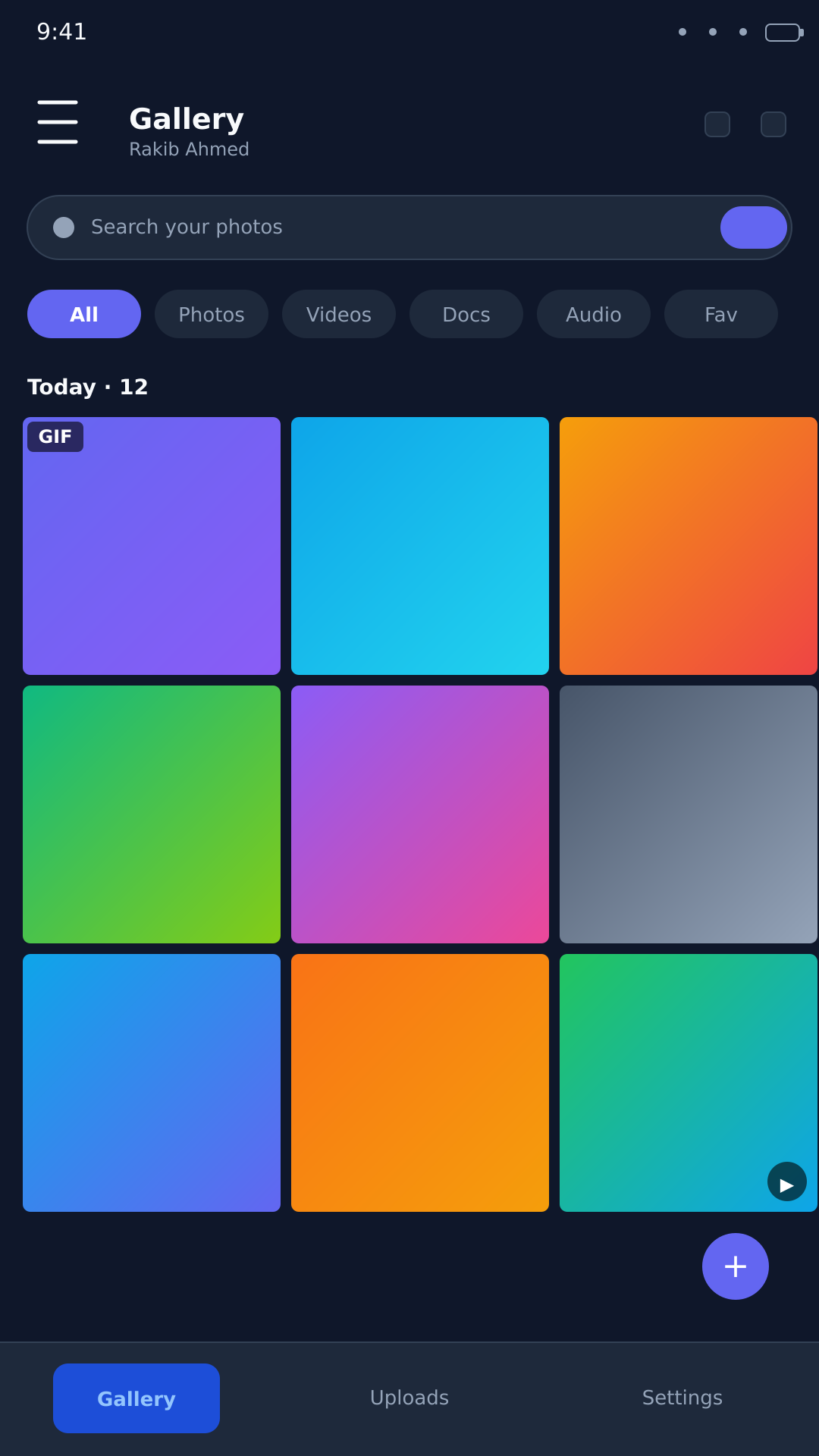
A calm, fast gallery organized by the day each photo was taken. Pinch to zoom the grid, drag to select, swipe through memories — the way a photo library should feel.
- Day, month, and year timeline views
- Search by name, type, or date range
- Albums, favorites, and "on this day" memories
Unlimited Backup — to Your Own Storage
Pixora backs up each photo directly to your own Telegram account using Telegram's official API. Files travel from your device to your account — Pixora never sees, stores, or holds a copy of your backups.
- Works with your existing Telegram account
- No Pixora servers involved — your backups live with you
- Auto-sync new photos and videos in the background
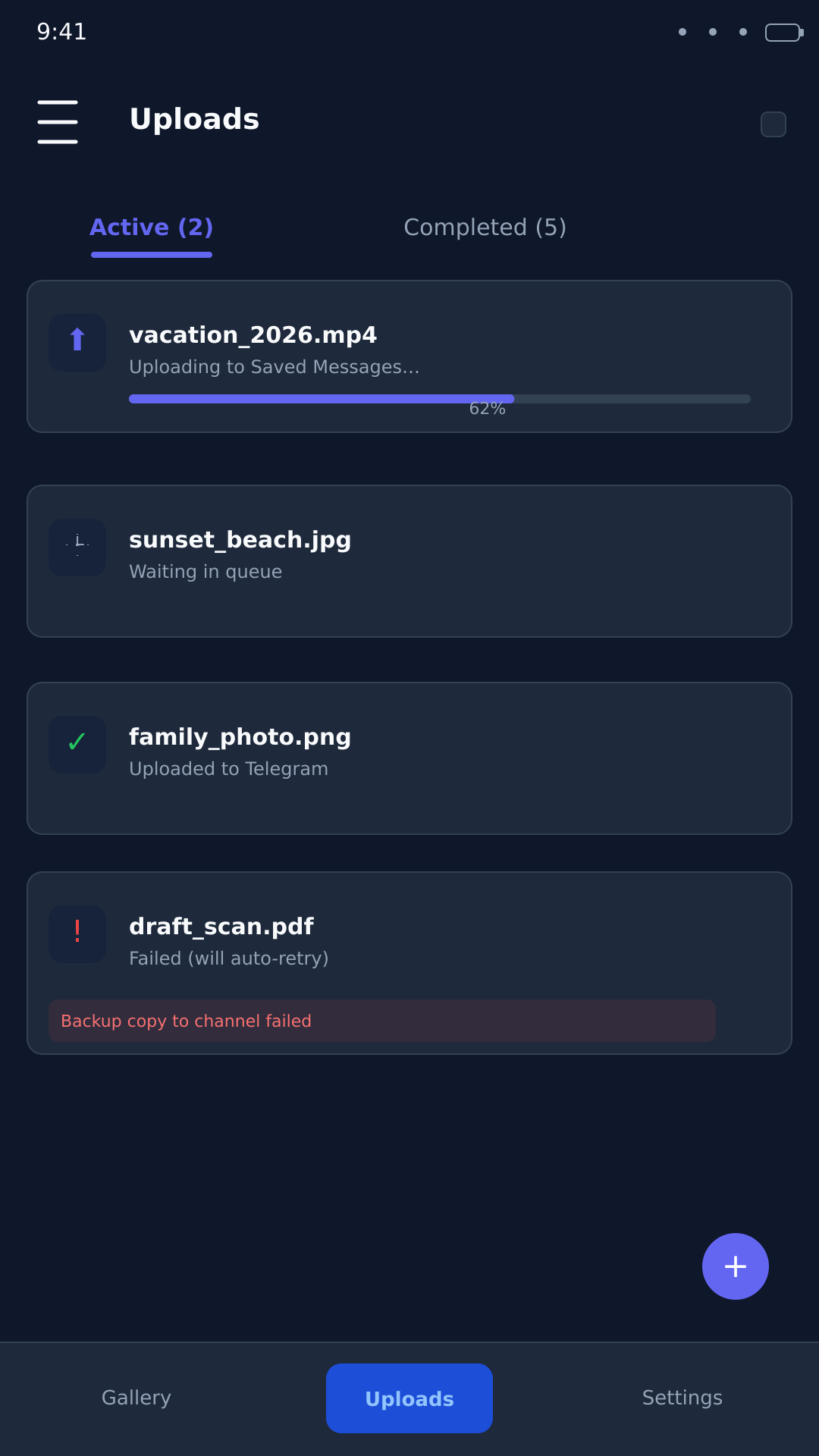
Photo Editing
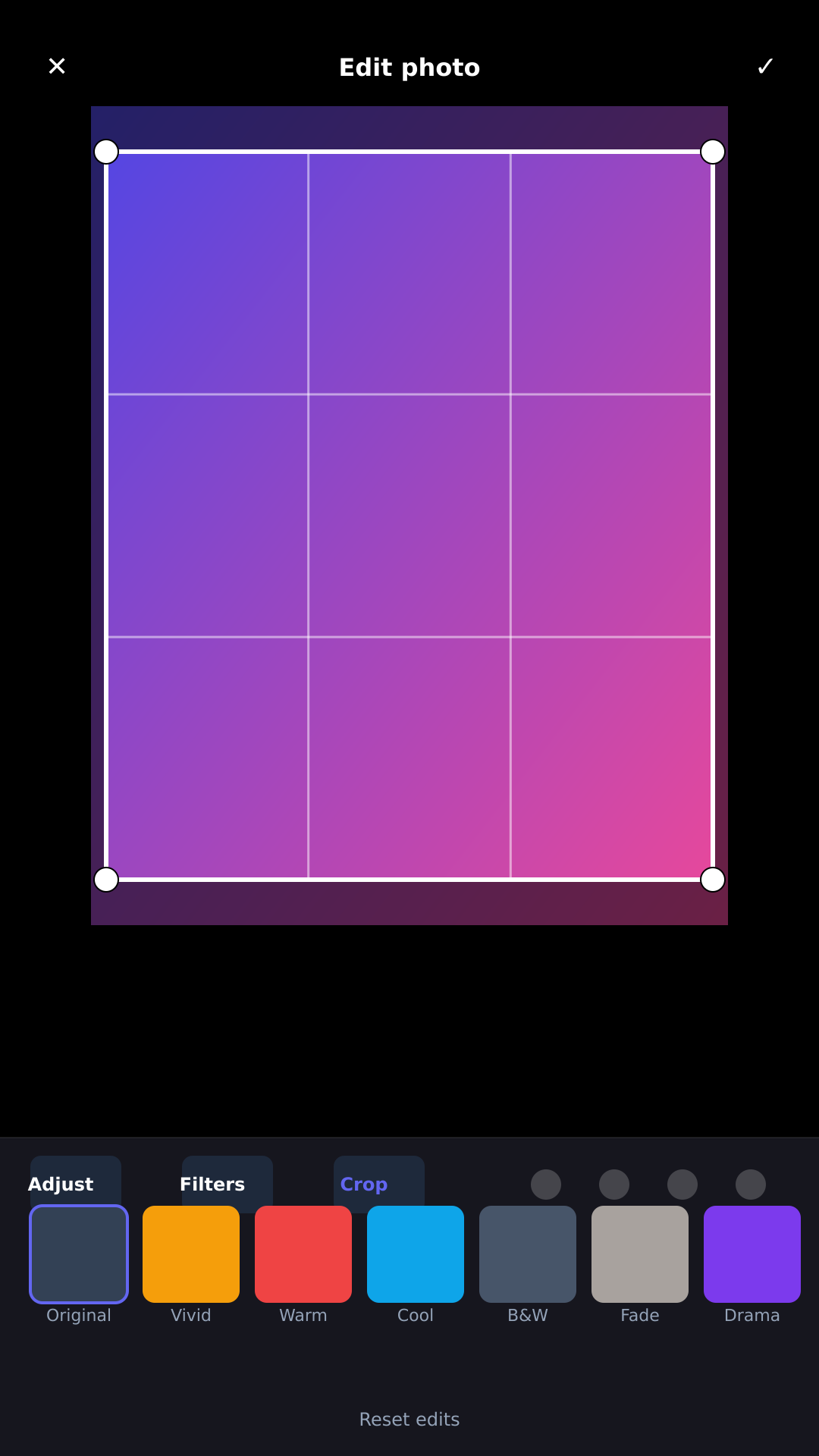
A full editor in your pocket: crop with aspect-ratio guides, rotate, flip, and fine-tune brightness, contrast, and saturation. Pick from subtle filters or create collages and animations from a selection.
- Non-destructive edits — the original stays intact
- Batch rotate for multiple photos at once
- Collage and slideshow maker built in
Smart Organization
Auto-grouped by capture date, with type filters, favorites, and searchable albums.
Auto Sync over Wi-Fi
Back up automatically when you're on Wi-Fi — no data worries, no manual steps.
Dark Mode
A gentle dark theme that follows your system, or pick your own.
Trash & Recovery
Deleted photos rest in Trash for 30 days — anything can be undone.
Your photos stay out of our hands.
We designed Pixora so there's nothing for us — or anyone else — to collect.
Local First
Everything opens and works on your device — offline gallery, offline search, offline editing.
Your Own Backup
Backups live in your own Telegram account — not on Pixora servers. We hold no copy.
No Tracking
No analytics, no fingerprints, no behavioral profiles. The app phones home for nothing.
No AI Training
Your photos are never fed into training pipelines — by us or by any partner.
Easy Deletion
Delete anything, anywhere — device, gallery, or your backup — and it's gone.
Open & Transparent
No hidden telemetry, no fine-print data sharing. What you see is what we do.
Pixora vs. Google Photos
Two apps, one of which treats your library as a product.
| Capability | Pixora | Google Photos |
|---|---|---|
| Private by default | Yes — privacy is the product | No — content scanned for AI features unless you opt out |
| Where your backup lives | Your own Telegram account — Pixora holds no copy | Google Photos servers |
| AI training on your photos | Never | Yes — used to improve products (opt-out required) |
| Ads | None — ever | Yes — ads appear in the product |
| Works offline | Yes — full local gallery | Mostly online |
| Storage | Unlimited — on your own storage | 15 GB free, then paid plans |
| Cost | Free forever | Free tier + subscription |
Made for people who notice.
Personal library keepers
Years of photos, organized by the day they happened — without a subscription nagging you.
Privacy-conscious users
People who'd rather their photos never sit in someone else's training set.
Families
One library for everyone's memories, backed up safely to an account the family controls.
Photographers
Shoot thousands of frames a month without paying per gigabyte to keep them.
What early users say
"I moved 40,000 photos over a weekend. The part that stuck with me wasn't the gallery — it was realizing nothing about my habits had been recorded anywhere."
"My kids' entire childhood is in Google's product loop. Pixora backs up to our family's own account, and that one fact changed how comfortable I feel about it."
"It's quietly fast. Search actually works offline, edits don't destroy originals, and I haven't seen a single ad — which took a while to believe."
Common questions, straight answers
Is Pixora a free Google Photos alternative?
Yes. Pixora is completely free — no subscriptions, no paywalled features, and unlimited backup to your own storage.
Where are my photos backed up with Pixora?
Photos are sent directly from your device to your own Telegram account via Telegram's official API. Pixora never stores, sees, or holds a copy of your backups.
Does Pixora train AI on my photos?
Never. Your photos are never used to train AI models — by Pixora or anyone else.
Does Pixora show ads?
No. Pixora has no ads, no tracking, and no data selling. Privacy is the product.
How much free cloud storage do I get with Pixora?
Unlimited. Because backups go to your own storage account, there is no per-gigabyte limit and no paid storage tier.
Can Pixora work offline?
Yes. The gallery, search, and editing all work fully offline on your device.
The Pixora privacy pledge
Your photos. Your rules.
Download Pixora free, connect your own storage, and back up your first photo in under a minute. No account with us. No credit card. No catch.
Store links are placeholders — Pixora is in development. Free forever once released.